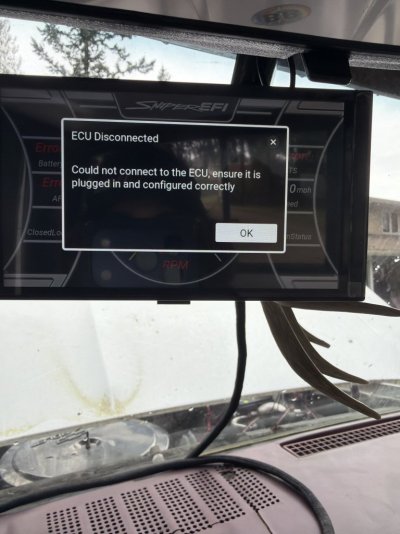
If you haven't purchased the CAN to USB adapter cable, I would recommend it. It allows you to connect to a PC. I've found that even with these "self-learning" systems, a PC is still necessary. The graphs and tables also makes visualization easier to make sure you have smooth profiles.
Note, I've heard that if the ECU firmware doesn't match the firmware on the display, they won't talk. In order to update the firmware on the handheld, you have to use the PC (at least the first time). I haven't run into it, but I've seen that in multiple comments.
Here is a Sniper forum within Holley:
https://forums.holley.com/forum/holley-efi/sniper-efi
I gathered this info online, which all makes sense.
- Check Main Power & Ground: The ECU requires direct battery connection for the heavy red (positive) and black (ground) wires. Ensure they are not connected to a switched source or weak ground.
- Check the Fuse: Inspect the main fuse on the red wire; it may be blown or not seated correctly in the holder.
- Verify Ignition Power (Pink Wire): The screen turns on with the pink wire, but the ECU won't wake up without the heavy red wire, leading to this error.
- Inspect CAN Bus Connector: Ensure the connector between the handheld and the EFI unit is clean, securely seated, and not damaged.
- Firmware/Software Update: If the issue persists, the system may need a firmware update using the SD card method.
- Perform a Hard Reset: Disconnect the main battery for at least 10 minutes to allow capacitors to discharge and the system to reset.
Good luck and report back. I'm installing the same system on my '56 Chevy. I've installed Holley Projection (back in 1990), Holley HP EFI, Edelbrock Pro-Flo, and Sniper 1, but this will be my first Sniper 2. The HP EFI is really good. I'm hoping the Sniper 2 has evolved closer to the HP EFI.